Pick the picture
A video, a GIF or a photo from your computer.

Pick a clip, a GIF or a photo, add any sound, and send it as a WhatsApp sound sticker. Made in your browser in seconds.
Free · Open source · Works in your browser
Are you coming tonight?
On my way
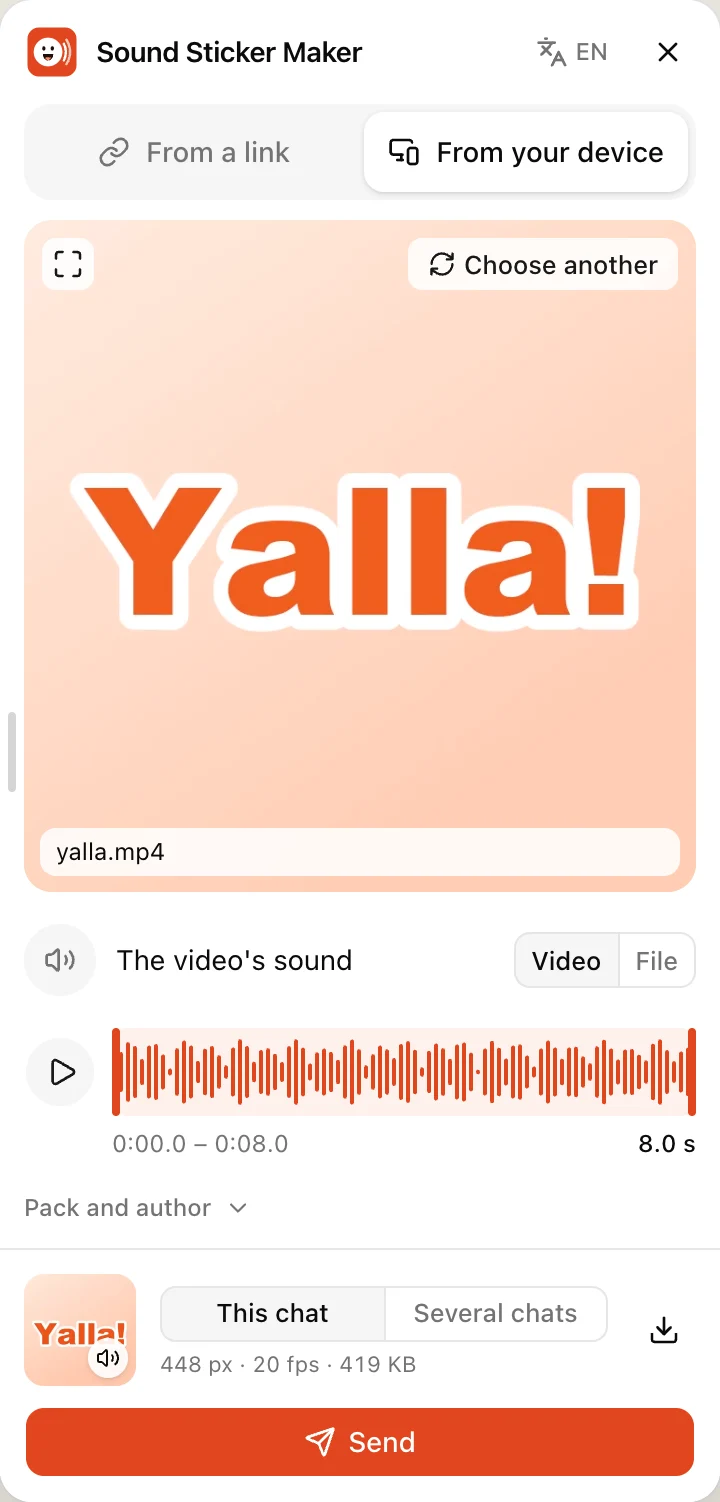
The extension adds a small panel to WhatsApp Web. Everything happens there.
A video, a GIF or a photo from your computer.
The video’s own sound or any audio file. Drag the handles to keep the part you want.
The sticker is built in a few seconds and sent to the open chat.
WhatsApp refuses stickers over 500 KB. The maker tries sizes, frame rates and quality until the sticker fits, and keeps the sharpest one that does.
Video, GIF, PNG or JPG, with MP3, M4A, WAV or the sound of another video.
The whole extension in both languages, with right-to-left done properly.
Your files are read and encoded on your computer. Nothing goes to a server of ours, and there is no account to make.
The online maker builds the same sticker and sound files on this page. Download them to keep, or install the extension to send them as a sound sticker.
Paste a YouTube or TikTok link, pick the part, and the sticker is made from that clip, in the extension or in the online maker.
Open the makerYes, on WhatsApp versions that support sound stickers. WhatsApp started rolling them out in November 2026, so someone on an older version sees the sticker without its sound until they update.
It sends through WhatsApp Web’s own internal features, the same ones the page uses when you send a sticker yourself, and it never asks for your number or password. WhatsApp offers no official way to do this, though, and may change those features at any time. When that happens, sending stops working until the extension is updated.
No. Pictures and sounds are read and encoded on your computer. The extension only talks to web.whatsapp.com to send the sticker, and the online maker doesn’t send your files anywhere.
Download the latest zip from GitHub, unzip it, open chrome://extensions, turn on Developer mode and choose Load unpacked. The install page shows each step, and can copy the steps for your AI assistant to do with you.
Up to 30 seconds, but 10 seconds or less works best: WhatsApp’s own sound stickers are that long, and a shorter part fits the 500 KB limit with a sharper picture.
Chrome and other Chromium browsers such as Edge and Brave, on a computer. The online maker needs a recent Chrome or Edge too, because it uses the browser’s built-in video and audio encoders.